Search for messages in a flow
From the Dashboard's main navigation, focus on Your Flows, then select the desired flow
 Your Flows Select a flow
Search for messages in a flow to find defects or check your integrations. Select one or more flows from the Select Flows to start.
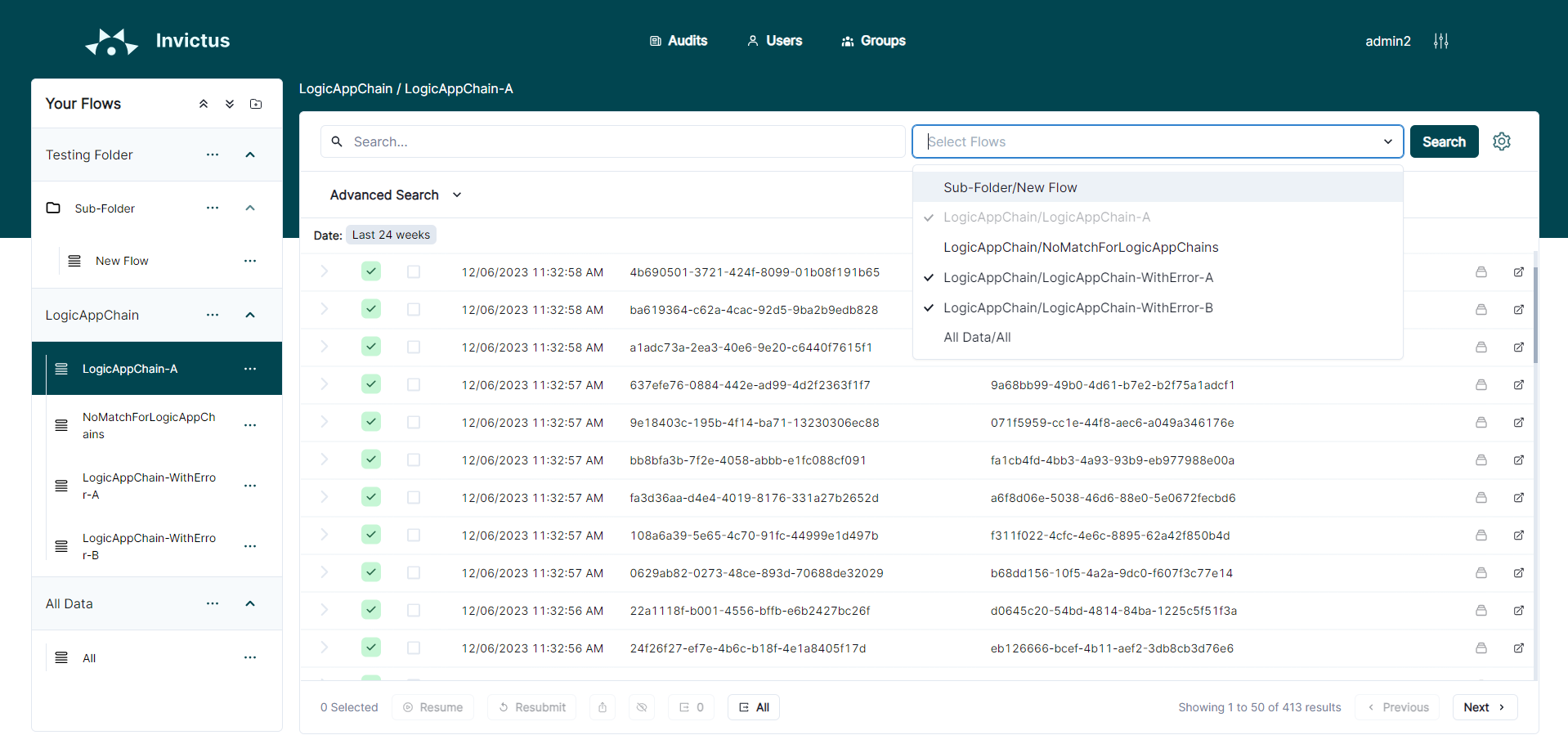
- Basic search
- Advanced search
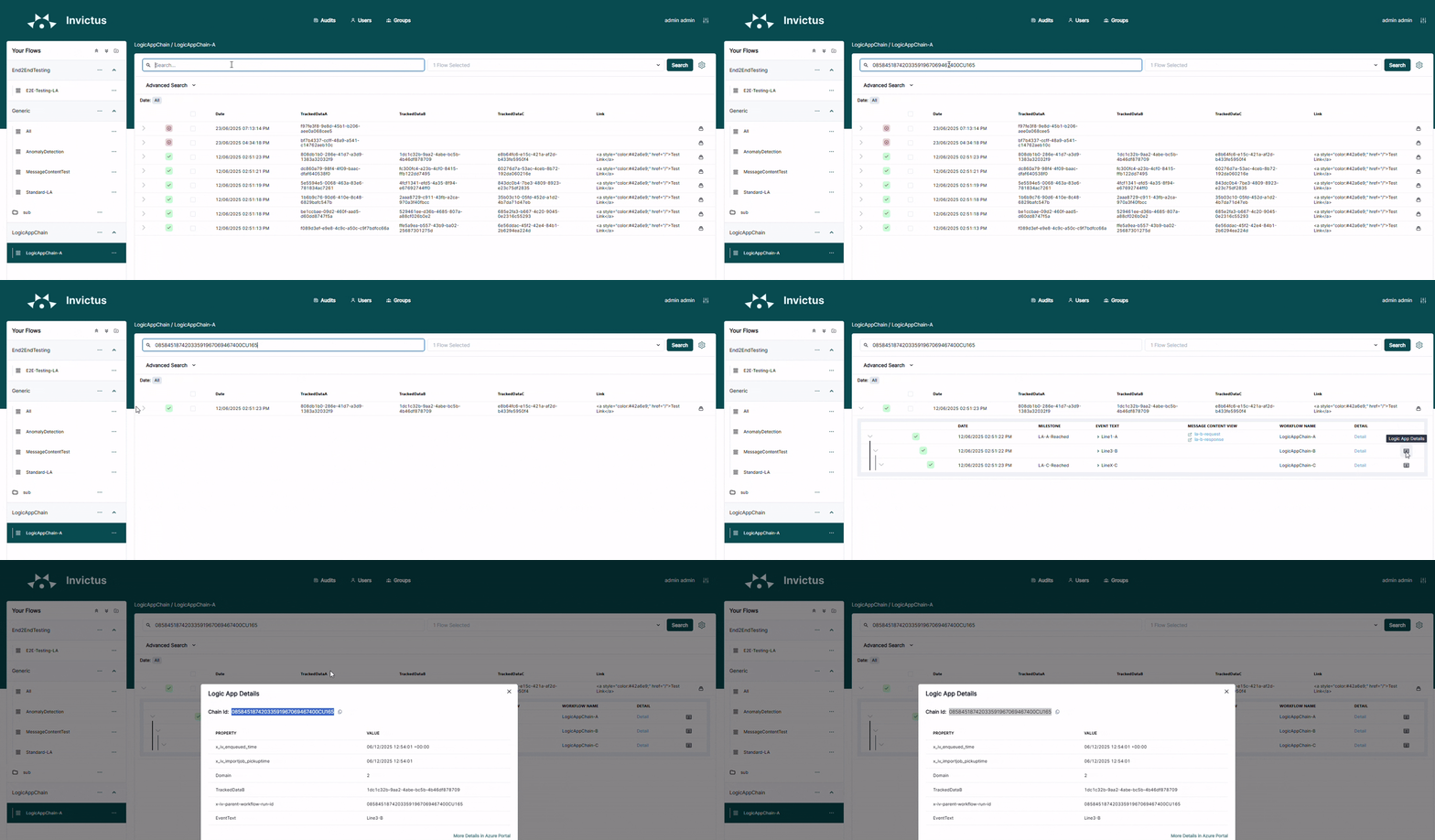
Use the top Search box to filter messages by property.
| Message property | Description |
|---|---|
| Chain ID | (= transaction ID). Also known as the 'client tracking ID' in Azure Logic Apps. |
| DSAV | Domain, Service, Action, Version business properties. |
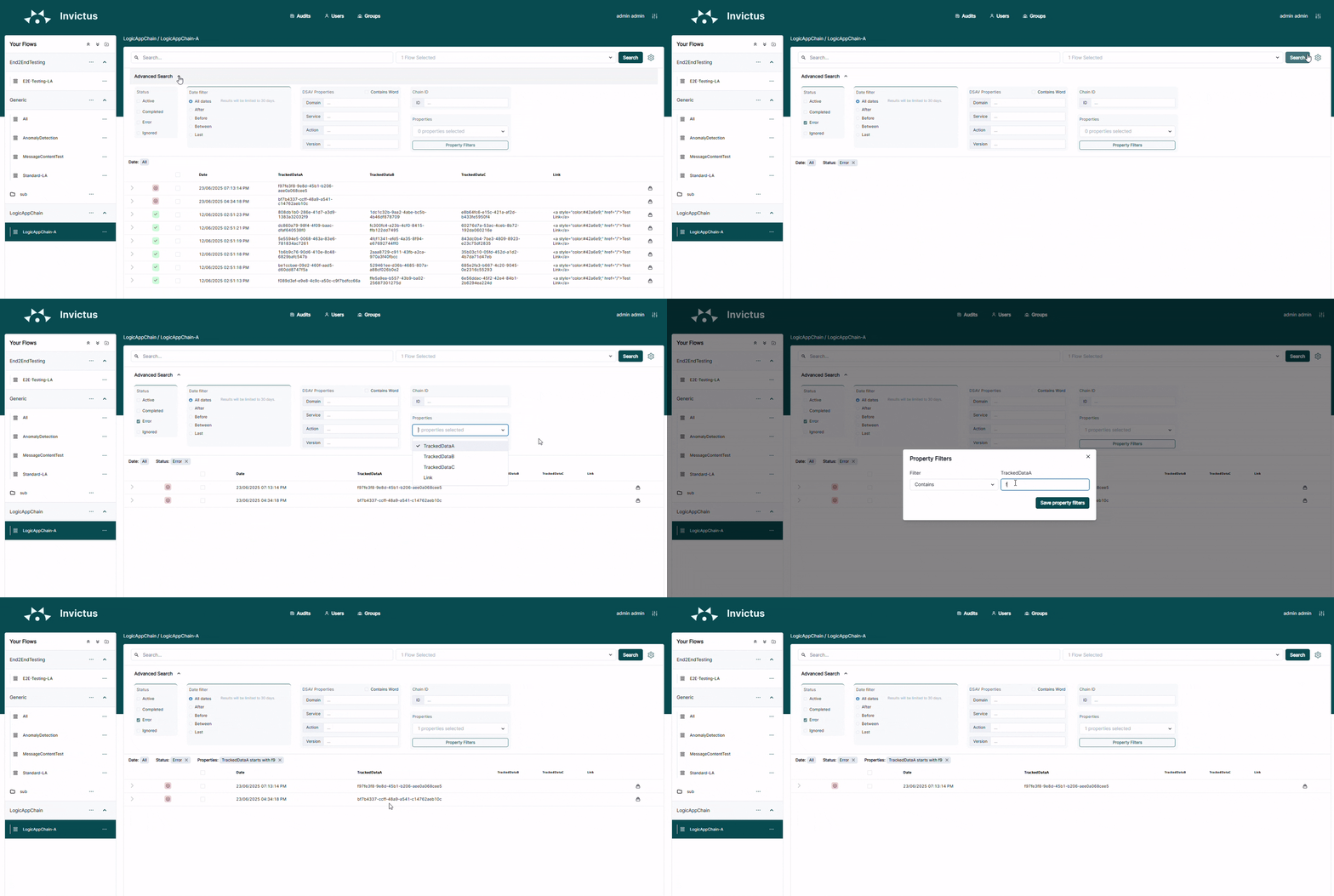
Open the Advanced Search pane to add more filters to your query.
| Filter | Description |
|---|---|
| Status | Messages at a given state:
|
| Date filter | Messages in a given time frame:
|
| DSAV | Filter by mapping fields: Domain, Service, Action, Version. Invictus reads these from Azure Logic App tracking (see importing via Azure Logic Apps). Use Contains Word for partial matches. |
| Chain ID | Messages with the same Chain ID. In Azure Logic Apps, this is the 'client tracking ID'. |
| Properties | Filter messages by property:
|